


Great reasons to buy from us:
-

30-Day Money-Back Guarantee
Changed your mind? Ordered the wrong thing? Simply return your item for a prompt exchange or refund. -

Free Shipping Over $70
Enjoy free shipping when you spend over $70 -

Secure Checkout
SSL Protected Checkout & Strongly Secure for Payments -

Fast Handling
Every order is a priority to us. We handle your order quickly to ensure you get your product fast.


Product material:
Material: ABS
Details:
Horizontal resolution :1080P
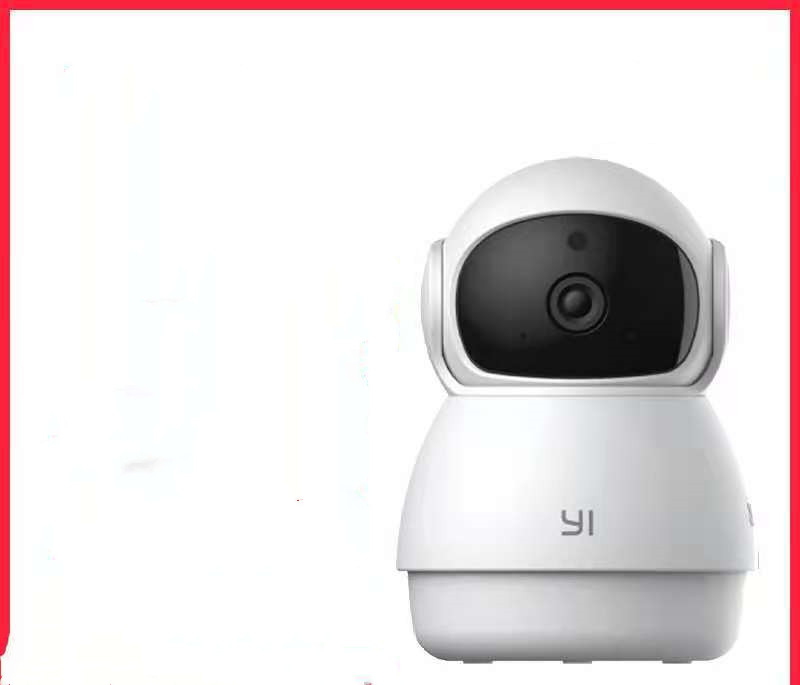
Function: panoramic monitoring, intelligent tracking, infrared night vision
Setting up your camera with the YI Home app
1. Install the YI home app and create a YI home account
2. Turn on your camera and click the icon on the top right corner of YI HOME app to add your camera
3. Select your Wi-Fi network and enter your Wi-Fi password, then select Connect to Wi-Fi
4.Scan the QR Code displayed on the app and then select next after the QR Code has scanned
5. Select save, then select start using to complete the pairing.
6. If the connection fails, press the reset button and try again.
Wi-Fi settings
1. YI home cameras will need to connect to a 2.4GHz band network. 5GHz WiFi band is not supported
2. Activate the location service on the phone if you encounter an unknown SSID problem
3. Encryption mode must be set to WPA / WPA2 (mixed mode) or WPA2
4. Your Wi-Fi password must be 8 to 20 characters long
Packing list
Camera X1



| Shipping | This item ships to |
| Delivery | Estimated between and . Will usually ship within 1 business day. |
Description
Product material:
Material: ABS
Details:
Horizontal resolution :1080P
Function: panoramic monitoring, intelligent tracking, infrared night vision
Setting up your camera with the YI Home app
1. Install the YI home app and create a YI home account
2. Turn on your camera and click the icon on the top right corner of YI HOME app to add your camera
3. Select your Wi-Fi network and enter your Wi-Fi password, then select Connect to Wi-Fi
4.Scan the QR Code displayed on the app and then select next after the QR Code has scanned
5. Select save, then select start using to complete the pairing.
6. If the connection fails, press the reset button and try again.
Wi-Fi settings
1. YI home cameras will need to connect to a 2.4GHz band network. 5GHz WiFi band is not supported
2. Activate the location service on the phone if you encounter an unknown SSID problem
3. Encryption mode must be set to WPA / WPA2 (mixed mode) or WPA2
4. Your Wi-Fi password must be 8 to 20 characters long
Packing list
Camera X1
Shipping
| Shipping | This item ships to |
| Delivery | Estimated between and . Will usually ship within 1 business day. |
Reviews


 00W High-Concentration Negative Ion Air Purifier & Household Odor Removal System for Home, Car, and Small Spaces
Color/Electrical outlet


 1080P HD Home Portable Voice Connection WiFi Mobile Phone Wireless Mini Projector
Color/format/version


 00W High-Concentration Negative Ion Air Purifier & Household Odor Removal System for Home, Car, and Small Spaces
Color/Electrical outlet
1080P HD Home Portable Voice Connection WiFi Mobile Phone Wireless Mini Projector
Color/format/version
00W High-Concentration Negative Ion Air Purifier & Household Odor Removal System for Home, Car, and Small Spaces
Color/Electrical outlet
1080P HD Home Portable Voice Connection WiFi Mobile Phone Wireless Mini Projector
Color/format/version